
TVS IPTV Player: Ο πλήρης οδηγός για τη ρύθμιση IPTV και τη συμβατότητα συσκευών
Εκτιμώμενος χρόνος ανάγνωσης: 12 λεπτά
Βασικά Συμπεράσματα
- Κατανόηση της IPTV: Η IPTV μεταδίδει τηλεοπτικό περιεχόμενο μέσω διαδικτύου, αντικαθιστώντας τις παραδοσιακές καλωδιακές μεθόδους.
- Αφοσιωμένοι Παίκτες: Χρησιμοποιώντας ένα ειδικό πρόγραμμα αναπαραγωγής IPTV όπως συσκευή αναπαραγωγής IPTV για τηλεοράσεις βελτιώνει την εμπειρία θέασης με βελτιωμένες λειτουργίες.
- Συμβατότητα συσκευής: Βεβαιωθείτε ότι η συσκευή σας υποστηρίζει αναπαραγωγή IPTV και επιλέξτε τη σωστή μέθοδο εγκατάστασης.
- Συμβουλές απόδοσης: Βελτιστοποιήστε τη ρύθμισή σας με ρυθμίσεις δικτύου και προσαρμογές προσωρινής αποθήκευσης για ομαλότερη ροή.
- Αντιμετώπιση προβλημάτων: Γνωρίστε συνηθισμένα προβλήματα και διορθώσεις για να απολαμβάνετε αδιάλειπτες υπηρεσίες IPTV.
Πίνακας περιεχομένων
- Βασικά στοιχεία IPTV και γιατί να χρησιμοποιήσετε το TVS IPTV Player
- Βασικοί όροι και πώς σχετίζονται με το TVS IPTV Player
- Συμβατότητα και Ρύθμιση Συσκευής-με-Συσκευή
- Ρύθμιση και βελτιστοποίηση του TVS IPTV Player
- Πίνακας Συμβατότητας και Οδηγός Λήψης Αποφάσεων
- Λίστα ελέγχου εγκατάστασης και βέλτιστες πρακτικές
- Αντιμετώπιση προβλημάτων κοινών προβλημάτων IPTV
- Γρήγορη Έναρξη
- Συχνές ερωτήσεις
Βασικά στοιχεία IPTV και γιατί να χρησιμοποιήσετε το TVS IPTV Player
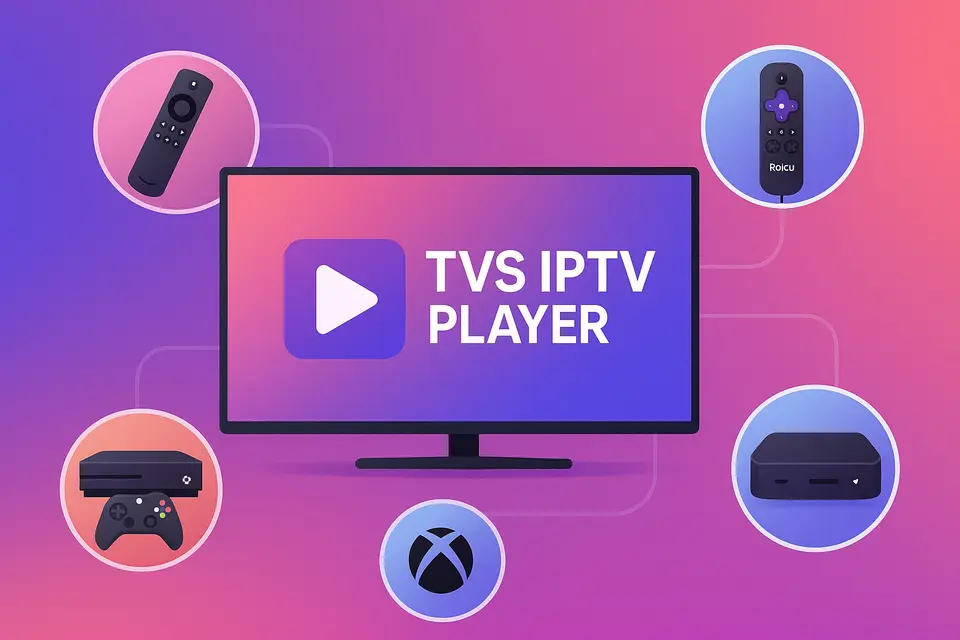
Το IPTV σημαίνει Internet Protocol Television, το οποίο σας επιτρέπει να λαμβάνετε τηλεοπτικό περιεχόμενο μέσω της σύνδεσής σας στο διαδίκτυο αντί για την παραδοσιακή καλωδιακή ή δορυφορική τηλεόραση. Πρόγραμμα αναπαραγωγής IPTV TVS παρέχει έναν απρόσκοπτο τρόπο πρόσβασης σε αυτό το περιεχόμενο σε διάφορες συσκευές, όπως Firestick, Roku, έξυπνες τηλεοράσεις και Xbox.
Τι σημαίνει στην πραγματικότητα η IPTV
Το IPTV επιτρέπει στους χρήστες να μεταδίδουν ζωντανά κανάλια και περιεχόμενο κατ' απαίτηση απευθείας μέσω Διαδικτύου. Ακολουθούν οι κύριες λειτουργίες:
- Ζωντανά κανάλια: τηλεοπτικές μεταδόσεις σε πραγματικό χρόνο.
- Catch-up TV: πρόσβαση σε πρόσφατα προβληθέντα προγράμματα.
- Βίντεο κατ' απαίτηση (VOD): παρακολουθήστε ταινίες και σειρές όποτε σας βολεύει.
Για βέλτιστη ποιότητα, βεβαιωθείτε ότι έχετε τα εξής:
- Τουλάχιστον 15 Mbps για ροή HD.
- 25+ Mbps για περιεχόμενο 4K χωρίς buffering πηγή.
- Μια συμβατή συσκευή με δυνατότητα αναπαραγωγής IPTV.
- Μια έγκυρη συνδρομή IPTV με διευθύνσεις URL M3U ή κωδικούς Xtream πηγή.
Παραπομπή: πηγή
Οφέλη από τη χρήση ενός αποκλειστικού προγράμματος αναπαραγωγής IPTV
Ένα ειδικό πρόγραμμα αναπαραγωγής IPTV όπως Πρόγραμμα αναπαραγωγής IPTV TVS ενισχύει την εμπειρία προσφέροντας:
- Καλύτερη οργάνωση καναλιών και υποστήριξη EPG.
- Απλοποιημένη διαχείριση πολλαπλών λογαριασμών IPTV.
- Βελτιωμένη απόδοση με βελτιστοποιημένη προσωρινή αποθήκευση και ροή.
Κατανόηση της ορολογίας των εφαρμογών IPTV
Η ορολογία μπορεί να είναι περίπλοκη. Ακολουθούν ορισμένοι βασικοί όροι:
- Καλύτερο APK IPTV: Πακέτα εγκατάστασης για συσκευές Android.
- Καλύτερη εφαρμογή IPTV: Επίσημες εφαρμογές διαθέσιμες σε καταστήματα εφαρμογών.
- IPTV APK: Εφαρμογές που δεν βρίσκονται σε επίσημα καταστήματα, συχνά φορτώνονται παράπλευρα.
Βασικοί όροι και πώς σχετίζονται με το TVS IPTV Player
Πότε να επιλέξετε APK έναντι εγκατάστασης εφαρμογής
Επιλέξτε IPTV APK εγκατάσταση για συσκευές όπως το Firestick όταν η εφαρμογή δεν είναι διαθέσιμη στο κατάστημα. Χρησιμοποιήστε Εφαρμογή IPTV εγκατάσταση για πλατφόρμες που υποστηρίζουν επίσημες εφαρμογές.
Πώς το TVS IPTV Player ταιριάζει σε διαφορετικές πλατφόρμες
Πρόγραμμα αναπαραγωγής IPTV TVS λειτουργεί σε διαφορετικές πλατφόρμες, υπό την προϋπόθεση ότι έχετε τον σωστό τύπο συνδρομής για πρόσβαση σε κανάλια είτε μέσω URL M3U είτε μέσω κωδικών Xtream.
Συμβατότητα και Ρύθμιση Συσκευής-με-Συσκευή
Ρύθμιση Firestick και Android TV
Για να εγκαταστήσετε Πρόγραμμα αναπαραγωγής IPTV TVS στο Firestick:
- Ενεργοποίηση Επιλογών Προγραμματιστή.
- Εγκαταστήστε την εφαρμογή Downloader.
- Εισαγάγετε τη διεύθυνση URL λήψης για το APK TVS IPTV.
- Ολοκληρώστε την εγκατάσταση και εκκινήστε την εφαρμογή.
Για περισσότερες πληροφορίες σχετικά με τη ρύθμιση του Firestick.
Ρύθμιση και περιορισμοί Roku IPTV
Το Roku δεν υποστηρίζει την παράπλευρη φόρτωση APK. Χρησιμοποιήστε το Roku Channel Store για επίσημα κανάλια IPTV ή μεταδώστε περιεχόμενο από άλλη συσκευή που εκτελεί Πρόγραμμα αναπαραγωγής IPTV TVS.
Ανατρέξτε στον οδηγό εγκατάστασης του Roku για περισσότερες λεπτομέρειες.
Ρύθμιση IPTV Smart TV
Οι έξυπνες τηλεοράσεις συνήθως χρειάζονται:
- Ενημερωμένο υλικολογισμικό.
- Σταθερή ενσύρματη σύνδεση.
- Πρόσβαση στο App Store για IPTV.
Για περισσότερες λεπτομέρειες σχετικά με τη ρύθμιση της έξυπνης τηλεόρασης.
Ρύθμιση και βελτιστοποίηση του TVS IPTV Player
Βασικά οφέλη και μέθοδοι εγκατάστασης
Πρόγραμμα αναπαραγωγής IPTV TVS προσφέρει μια ενοποιημένη εμπειρία υποστηρίζοντας διάφορες μεθόδους εισαγωγής, διευκολύνοντας την πρόσβαση τόσο στις λίστες αναπαραγωγής M3U όσο και στους κωδικούς Xtream.
Ρυθμίσεις βελτιστοποίησης απόδοσης
Για βελτιστοποίηση της απόδοσης:
- Χρησιμοποιήστε ενσύρματες συνδέσεις μέσω Wi-Fi.
- Προσαρμόστε το μέγεθος της ενδιάμεσης μνήμης για ομαλή αναπαραγωγή.
- Ενεργοποιήστε την επιτάχυνση υλικού όπου είναι δυνατόν.
Πίνακας Συμβατότητας και Οδηγός Λήψης Αποφάσεων
Συστάσεις ειδικά για τη συσκευή
| Συσκευή | Υποστήριξη APK | Συνιστώμενη προσέγγιση |
|---|---|---|
| Πυρίμαχο | Ναι | Sideload Πρόγραμμα αναπαραγωγής IPTV TVS; προσθήκη αντιγράφου ασφαλείας καλύτερη εφαρμογή IPTV πηγή. |
| TV Android | Ναι | Άμεση εγκατάσταση APK. Χρησιμοποιήστε το TVS ως κύριο πρόγραμμα αναπαραγωγής. |
| έτος | Οχι | Χρησιμοποιήστε τις διαθέσιμες εφαρμογές· μεταδώστε από το TVS. |
| Samsung Τηλεόραση | Οχι | Βρείτε εγγενείς εφαρμογές ή χρησιμοποιήστε μια εξωτερική συσκευή. |
| Xbox | Οχι | Χρησιμοποιήστε διαθέσιμες εφαρμογές από το Microsoft Store. |
| Mag Box | Δ/Ε | Χρησιμοποιήστε την εγγενή πύλη και το TVS ξεχωριστά. |
Λίστα ελέγχου εγκατάστασης και βέλτιστες πρακτικές
Προαπαιτούμενα και ζητήματα ασφαλείας
Πριν από την εγκατάσταση:
- Βεβαιωθείτε ότι έχετε μια έγκυρη συνδρομή IPTV.
- Ελέγξτε τη συμβατότητα της συσκευής σας και ενημερώστε το υλικολογισμικό όπως απαιτείται.
Συμβουλές βελτιστοποίησης δικτύου
Για να βελτιώσετε την ποιότητα ροής:
- Δώστε προτεραιότητα στις ενσύρματες συνδέσεις.
- Χρησιμοποιήστε τις ρυθμίσεις QoS στους δρομολογητές για καλύτερη διαχείριση της κυκλοφορίας.
- Ελέγχετε τακτικά την ταχύτητα και την αξιοπιστία του διαδικτύου σας.
Αντιμετώπιση προβλημάτων κοινών προβλημάτων IPTV
Προβλήματα αναπαραγωγής και σύνδεσης
Εάν αντιμετωπίσετε σφάλματα αναπαραγωγής:
- Ελέγξτε την εγκυρότητα της διεύθυνσης URL του M3U σας.
- Ελέγξτε την ταχύτητα σύνδεσης και επαληθεύστε την κατάσταση της συνδρομής.
Γρήγορη Έναρξη
- Επιλέξτε τη συσκευή σας και τη μέθοδο εγκατάστασης.
- εγκαταστήστε Πρόγραμμα αναπαραγωγής IPTV TVS με τα διαπιστευτήριά σας.
- Εκκινήστε την εφαρμογή και δοκιμάστε την με παραδείγματα καναλιών.
- Βελτιστοποιήστε τις ρυθμίσεις με βάση το δίκτυό σας.
Συχνές ερωτήσεις
Τι είναι IPTV;
Το IPTV σημαίνει Internet Protocol Television, που επιτρέπει τη ζωντανή μετάδοση τηλεοπτικών προγραμμάτων μέσω του διαδικτύου.
Ποιες συσκευές υποστηρίζουν IPTV;
Οι περισσότερες έξυπνες τηλεοράσεις, συσκευές streaming και συσκευές που βασίζονται σε Android υποστηρίζουν IPTV.
Πώς μπορώ να αντιμετωπίσω προβλήματα αναπαραγωγής;
Ελέγξτε τη σύνδεσή σας στο διαδίκτυο και τη διεύθυνση URL M3U και δοκιμάστε να επανεκκινήσετε την εφαρμογή.
Μπορώ να χρησιμοποιήσω πολλαπλούς παρόχους IPTV;
Ναι, είναι δυνατή η χρήση διαφορετικών συνδρομών IPTV μέσω του ίδιου προγράμματος αναπαραγωγής.
Είναι νόμιμο το IPTV;
Η νομιμότητα ποικίλλει ανά περιοχή. Να επαληθεύετε πάντα την άδεια χρήσης του παρόχου IPTV σας.