
Reproductor IPTV TVS: La guía completa para la configuración de IPTV y la compatibilidad de dispositivos
Tiempo de lectura estimado: 12 minutos
Puntos Clave
- Entendiendo IPTV: La IPTV transmite contenido televisivo a través de Internet, sustituyendo los métodos tradicionales de cable.
- Jugadores dedicados: Utilizando un reproductor IPTV dedicado como Reproductor de IPTV para televisores Mejora la experiencia visual con una mejor funcionalidad.
- Compatibilidad del dispositivo: Asegúrese de que su dispositivo sea compatible con la reproducción de IPTV y elija el método de instalación correcto.
- Consejos de rendimiento: Optimiza tu configuración ajustando los ajustes de red y el almacenamiento en búfer para una transmisión más fluida.
- Solución de Problemas: Conozca los problemas comunes y sus soluciones para disfrutar de servicios de IPTV sin interrupciones.
Índice
- Conceptos básicos de IPTV y por qué usar el reproductor IPTV de TVS
- Términos clave y su relación con el reproductor IPTV de TVS
- Compatibilidad y configuración dispositivo por dispositivo
- Configuración y optimización del reproductor IPTV de TVS
- Matriz de compatibilidad y guía de decisiones
- Lista de verificación de configuración y mejores prácticas
- Solución de problemas comunes de IPTV
- Cómo empezar rápidamente
- Preguntas frecuentes
Conceptos básicos de IPTV y por qué usar el reproductor IPTV de TVS
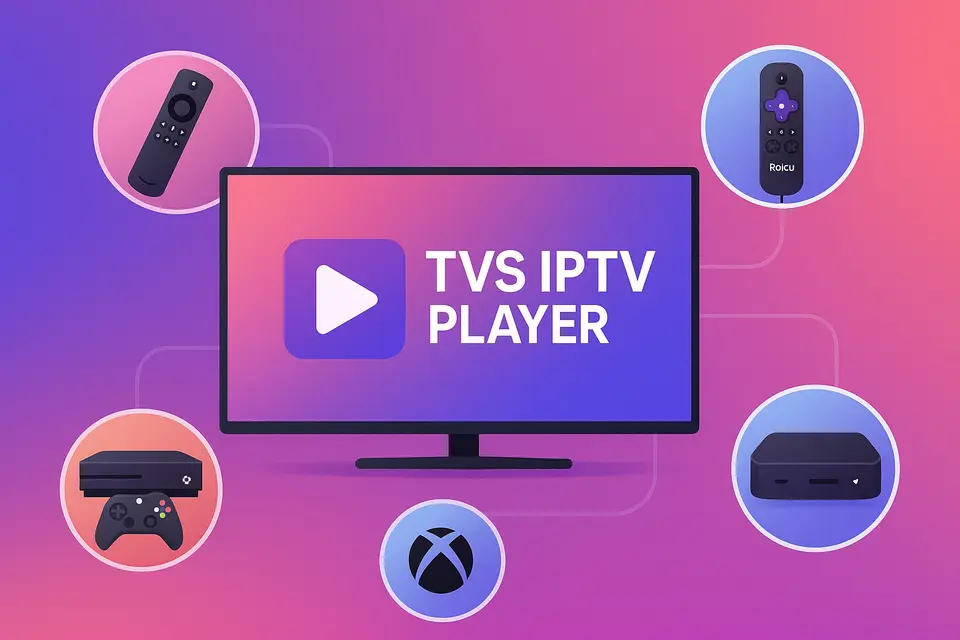
IPTV significa Televisión por Protocolo de Internet, que le permite recibir contenido televisivo a través de su conexión a Internet en lugar del cable o satélite tradicionales. Reproductor IPTV de TV Ofrece una forma sencilla de acceder a este contenido a través de diversos dispositivos, como Firestick, Roku, televisores inteligentes y Xbox.
Qué significa realmente la IPTV
La IPTV permite a los usuarios ver canales en directo y contenido bajo demanda directamente a través de Internet. Estas son las funcionalidades principales:
- Canales en directo: retransmisiones de televisión en tiempo real.
- Televisión a la carta: acceda a los programas emitidos recientemente.
- Vídeo bajo demanda (VOD): vea películas y series cuando quiera.
Para obtener una calidad óptima, asegúrese de tener lo siguiente:
- Se requieren al menos 15 Mbps para la transmisión en HD.
- Más de 25 Mbps para contenido 4K sin almacenamiento en búfer. fuente.
- Un dispositivo compatible capaz de reproducir IPTV.
- Una suscripción válida a IPTV con URL M3U o códigos Xtream. fuente.
Referencia: fuente
Ventajas de usar un reproductor IPTV dedicado
Un reproductor IPTV dedicado como Reproductor IPTV de TV Mejora la experiencia al ofrecer:
- Mejor organización de canales y compatibilidad con la guía electrónica de programación (EPG).
- Gestión simplificada de múltiples cuentas de IPTV.
- Rendimiento mejorado gracias a la optimización del almacenamiento en búfer y la transmisión en directo.
Comprender la terminología de las aplicaciones de IPTV
La terminología puede ser compleja. Aquí tienes algunos términos clave:
- Mejor APK de IPTV: Paquetes de instalación para dispositivos Android.
- La mejor aplicación de IPTV: Aplicaciones oficiales disponibles en las tiendas de aplicaciones.
- APK de IPTV: Aplicaciones que no se encuentran en las tiendas oficiales, a menudo instaladas manualmente.
Términos clave y su relación con el reproductor IPTV de TVS
¿Cuándo elegir entre APK e instalación de la aplicación?
Elija IPTV APK Instalación para dispositivos como Firestick cuando la aplicación no está disponible en la tienda. Aplicación IPTV Instalación para plataformas que admiten aplicaciones oficiales.
Cómo se adapta el reproductor IPTV de TVS a diferentes plataformas
Reproductor IPTV de TV Funciona en diferentes plataformas, siempre que tengas el tipo de suscripción adecuado para acceder a los canales mediante URL M3U o códigos Xtream.
Compatibilidad y configuración dispositivo por dispositivo
Configuración de Firestick y Android TV
Para instalar Reproductor IPTV de TV en Firestick:
- Habilitar opciones de desarrollador.
- Instalar la aplicación Downloader.
- Introduce la URL de descarga del APK de TVS IPTV.
- Complete la instalación e inicie la aplicación.
Para obtener más información sobre la configuración de Firestick.
Configuración y limitaciones de Roku IPTV
Roku no admite la instalación de APKs de forma externa. Utilice la tienda de canales de Roku para obtener canales IPTV oficiales o transmita contenido desde otro dispositivo que ejecute Reproductor IPTV de TV.
Consulta la guía de configuración de Roku para obtener más detalles.
Configuración de IPTV para Smart TV
Los televisores inteligentes suelen necesitar:
- Firmware actualizado.
- Conexión por cable estable.
- Acceso a la tienda de aplicaciones para IPTV.
Para obtener más detalles sobre la configuración de la Smart TV.
Configuración y optimización del reproductor IPTV de TVS
Principales ventajas y métodos de instalación
Reproductor IPTV de TV Ofrece una experiencia unificada al admitir varios métodos de entrada, lo que facilita el acceso tanto a las listas de reproducción M3U como a los códigos Xtream.
Configuración de optimización del rendimiento
Para optimizar el rendimiento:
- Utilice conexiones por cable en lugar de Wi-Fi.
- Ajusta el tamaño del búfer para una reproducción fluida.
- Habilite la aceleración por hardware siempre que sea posible.
Matriz de compatibilidad y guía de decisiones
Recomendaciones específicas para cada dispositivo
| Inteligencia del | Soporte para APK | Enfoque recomendado |
|---|---|---|
| palo de fuego | Sí: | Carga lateral Reproductor IPTV de TV; agregar una copia de seguridad La mejor aplicación de IPTV fuente. |
| Android TV | Sí: | Instalación directa del archivo APK; utilice TVS como reproductor principal. |
| Roku | No | Utilice las aplicaciones disponibles; transmita desde el televisor. |
| Samsung TV | No | Busca aplicaciones nativas o utiliza un dispositivo externo. |
| Xbox | No | Utiliza las aplicaciones disponibles en la Microsoft Store. |
| Caja magnética | N/A | Utilice el portal nativo y TVS por separado. |
Lista de verificación de configuración y mejores prácticas
Requisitos previos y consideraciones de seguridad
Antes de la configuración:
- Asegúrese de tener una suscripción válida a IPTV.
- Comprueba la compatibilidad de tu dispositivo y actualiza el firmware si es necesario.
Consejos para optimizar la red
Para mejorar la calidad de la transmisión:
- Priorice las conexiones por cable.
- Utilice la configuración de QoS en los routers para una mejor gestión del tráfico.
- Comprueba periódicamente la velocidad y la fiabilidad de tu conexión a internet.
Solución de problemas comunes de IPTV
Problemas de reproducción y conexión
Si experimenta errores de reproducción:
- Comprueba la validez de tu URL M3U.
- Comprueba la velocidad de conexión y verifica el estado de la suscripción.
Cómo empezar rápidamente
- Seleccione su dispositivo y método de instalación.
- Instale Reproductor IPTV de TV con tus credenciales
- Inicia la aplicación y pruébala con canales de ejemplo.
- Optimiza la configuración en función de tu red.
Preguntas frecuentes
¿Qué es IPTV?
IPTV son las siglas de Televisión por Protocolo de Internet, que permite la transmisión de televisión en directo a través de Internet.
¿Qué dispositivos soportan IPTV?
La mayoría de los televisores inteligentes, dispositivos de transmisión y dispositivos basados en Android son compatibles con IPTV.
¿Cómo puedo solucionar los problemas de reproducción?
Comprueba tu conexión a internet y la URL M3U, e intenta reiniciar la aplicación.
¿Puedo utilizar varios proveedores de IPTV?
Sí, es posible utilizar diferentes suscripciones de IPTV a través del mismo reproductor.
¿Es legal la IPTV?
La legalidad varía según la región; verifique siempre la licencia de su proveedor de IPTV.