
Lecteur IPTV TVS : Guide complet de configuration IPTV et de compatibilité des appareils
Temps de lecture estimé : 12 minutes
Points clés à retenir
- Comprendre l’IPTV : L'IPTV diffuse du contenu télévisuel via Internet, remplaçant ainsi les méthodes de diffusion par câble traditionnelles.
- Joueurs dévoués : En utilisant un lecteur IPTV dédié comme lecteur IPTV TV Améliore l'expérience visuelle grâce à une meilleure fonctionnalité.
- Compatibilité de l'appareil: Assurez-vous que votre appareil prend en charge la lecture IPTV et choisissez la méthode d'installation appropriée.
- Conseils de performances : Optimisez votre configuration grâce aux paramètres réseau et aux réglages de mise en mémoire tampon pour une diffusion plus fluide.
- Dépannage: Connaître les problèmes courants et leurs solutions permet de profiter de services IPTV sans interruption.
Table des Matières
- Principes de base de l'IPTV et pourquoi utiliser le lecteur IPTV TVS
- Termes clés et leur lien avec le lecteur IPTV TVS
- Compatibilité et configuration appareil par appareil
- Configuration et optimisation du lecteur IPTV TVS
- Matrice de compatibilité et guide de décision
- Liste de vérification et bonnes pratiques de configuration
- Dépannage des problèmes IPTV courants
- Démarrage rapide
- Questions fréquemment posées
Principes de base de l'IPTV et pourquoi utiliser le lecteur IPTV TVS
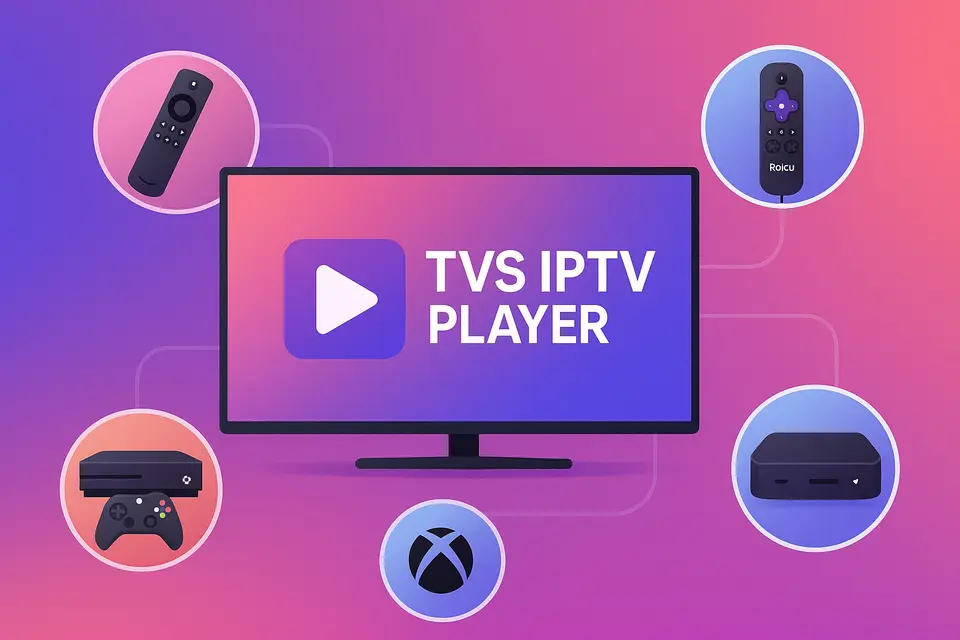
L'IPTV (Internet Protocol Television) permet de recevoir des contenus télévisuels via une connexion internet plutôt que par câble ou satellite traditionnel. Lecteur IPTV TVS offre un moyen simple d'accéder à ce contenu sur différents appareils, notamment Firestick, Roku, les téléviseurs intelligents et Xbox.
Que signifie réellement l'IPTV ?
L'IPTV permet aux utilisateurs de regarder des chaînes en direct et des contenus à la demande directement sur Internet. Voici ses principales fonctionnalités :
- Chaînes en direct : diffusions télévisées en temps réel.
- Télévision de rattrapage : accédez aux programmes récemment diffusés.
- Vidéo à la demande (VOD) : regardez des films et des séries à votre convenance.
Pour une qualité optimale, assurez-vous de disposer des éléments suivants :
- Au moins 15 Mbps pour le streaming HD.
- Plus de 25 Mbps pour le contenu 4K sans mise en mémoire tampon source.
- Un appareil compatible permettant la lecture IPTV.
- Un abonnement IPTV valide avec des URL M3U ou des codes Xtream source.
Référence: source
Avantages de l'utilisation d'un lecteur IPTV dédié
Un lecteur IPTV dédié tel que Lecteur IPTV TVS améliore l'expérience en offrant :
- Meilleure organisation des chaînes et prise en charge du guide électronique des programmes (EPG).
- Gestion simplifiée de plusieurs comptes IPTV.
- Performances améliorées grâce à une mise en mémoire tampon et une diffusion optimisées.
Comprendre la terminologie des applications IPTV
La terminologie peut être complexe. Voici quelques termes clés :
- Meilleure application IPTV : Packages d'installation pour appareils Android.
- Meilleure application IPTV : Applications officielles disponibles sur les plateformes de téléchargement d'applications.
- Application IPTV : Applications non disponibles dans les boutiques officielles, souvent installées manuellement.
Termes clés et leur lien avec le lecteur IPTV TVS
Quand choisir entre l'installation d'un APK et celle d'une application ?
Choisissez APK IPTV Installation sur des appareils comme Firestick lorsque l'application n'est pas disponible sur la boutique. Utiliser Application IPTV Installation pour les plateformes prenant en charge les applications officielles.
Comment le lecteur IPTV de TVS s'adapte aux différentes plateformes
Lecteur IPTV TVS fonctionne sur différentes plateformes, à condition de disposer du type d'abonnement adéquat pour accéder aux chaînes via des URL M3U ou des codes Xtream.
Compatibilité et configuration appareil par appareil
Configuration de Firestick et Android TV
Pour installer Lecteur IPTV TVS sur Fire stick :
- Activer les options du développeur.
- Installez l'application Downloader.
- Saisissez l'URL de téléchargement du fichier APK de TVS IPTV.
- Terminez l'installation et lancez l'application.
Pour plus d'informations sur la configuration du Firestick.
Configuration et limitations de Roku IPTV
Roku ne prend pas en charge l'installation d'APK en dehors de son système. Utilisez le Roku Channel Store pour accéder aux chaînes IPTV officielles ou diffusez du contenu depuis un autre appareil exécutant ce programme. Lecteur IPTV TVS.
Consultez le guide d'installation de Roku pour plus de détails.
Configuration IPTV pour Smart TV
Les téléviseurs intelligents nécessitent généralement :
- Firmware mis à jour.
- Connexion filaire stable.
- Accès à l'App Store pour l'IPTV.
Pour plus de détails sur la configuration des téléviseurs intelligents.
Configuration et optimisation du lecteur IPTV TVS
Principaux avantages et méthodes d'installation
Lecteur IPTV TVS offre une expérience unifiée en prenant en charge différentes méthodes de saisie, facilitant ainsi l'accès aux listes de lecture M3U et aux codes Xtream.
Paramètres d'optimisation des performances
Pour optimiser les performances :
- Utilisez les connexions filaires plutôt que le Wi-Fi.
- Ajustez la taille du tampon pour une lecture fluide.
- Activez l'accélération matérielle lorsque cela est possible.
Matrice de compatibilité et guide de décision
Recommandations spécifiques à l'appareil
| Appareil | Prise en charge des APK | Approche recommandée |
|---|---|---|
| Firestick | Oui | Sideload Lecteur IPTV TVS; ajouter une sauvegarde meilleure application IPTV source. |
| Android TV | Oui | Installation directe du fichier APK ; utiliser TVS comme lecteur principal. |
| Roku | Non | Utilisez les applications disponibles ; diffusez du contenu depuis votre téléviseur. |
| Samsung TV | Non | Trouvez des applications natives ou utilisez un périphérique externe. |
| Xbox | Non | Utilisez les applications disponibles sur le Microsoft Store. |
| Mag Box | N/D | Utilisez le portail natif et TVS séparément. |
Liste de vérification et bonnes pratiques de configuration
Prérequis et considérations de sécurité
Avant la configuration :
- Assurez-vous de disposer d'un abonnement IPTV valide.
- Vérifiez la compatibilité de votre appareil et mettez à jour le micrologiciel si nécessaire.
Conseils d'optimisation du réseau
Pour améliorer la qualité du streaming :
- Privilégiez les connexions câblées.
- Utilisez les paramètres QoS des routeurs pour une meilleure gestion du trafic.
- Vérifiez régulièrement la vitesse et la fiabilité de votre connexion internet.
Dépannage des problèmes IPTV courants
Problèmes de lecture et de connexion
Si vous rencontrez des erreurs de lecture :
- Vérifiez la validité de votre URL M3U.
- Tester la vitesse de connexion et vérifier l'état de l'abonnement.
Démarrage rapide
- Sélectionnez votre appareil et votre méthode d'installation.
- Installer Lecteur IPTV TVS avec vos informations d'identification.
- Lancez l'application et testez-la avec des exemples de chaînes.
- Optimisez les paramètres en fonction de votre réseau.
Questions fréquemment posées
Qu'est ce que l'IPTV?
IPTV signifie Télévision par Protocole Internet, permettant la diffusion de la télévision en direct via Internet.
Quels appareils prennent en charge l'IPTV ?
La plupart des téléviseurs intelligents, des appareils de streaming et des appareils Android prennent en charge l'IPTV.
Comment résoudre les problèmes de lecture ?
Vérifiez votre connexion internet et l'URL M3U, puis essayez de redémarrer l'application.
Puis-je utiliser plusieurs fournisseurs IPTV ?
Oui, il est possible d'utiliser différents abonnements IPTV via le même lecteur.
L'IPTV est-elle légale?
La légalité varie selon les régions ; vérifiez toujours la licence de votre fournisseur IPTV.