
TVS IPTV Player: Rêbernameya Tevahî ya Sazkirina IPTV û Lihevhatina Amûran
Dema xwendinê ya texmînkirî: 12 hûrdem
Key Takeaways
- Têgihîştina IPTV: IPTV naveroka televîzyonê li ser înternetê diweşîne, û li şûna rêbazên kabloyî yên kevneşopî.
- Lîstikvanên Taybet: Bi karanîna lîstikvanek IPTV-yê ya taybetî mîna lîstikvanê iptv yê tv-yê bi fonksiyoneke çêtir ezmûna temaşekirinê baştir dike.
- Lihevhatina cîhaz: Piştrast bike ku cîhaza te piştgiriya lîstina IPTV dike, û rêbaza sazkirinê ya rast hilbijêre.
- Serişteyên Performansê: Ji bo weşana nermtir, sazkirina xwe bi mîhengên torê û sererastkirinên tamponê çêtir bikin.
- Pirsgirêkan: Ji bo ku hûn ji karûbarên IPTV-yê yên bênavber sûd werbigirin, pirsgirêk û çareseriyên hevpar bizanin.
Table of Contents
- Bingehên IPTV û Çima TVS IPTV Player Bikar Bînin
- Mercên Sereke û Çawa Ew Bi TVS IPTV Player re Têkiliya Wan Bikin
- Lihevhatina Amûr-bi-Amûr û Sazkirin
- Sazkirin û Çêtirkirina Lîstikvanê TVS IPTV
- Matrîksa Lihevhatinê û Rêbernameya Biryarê
- Lîsteya Kontrolê ya Sazkirinê û Rêbazên Çêtirîn
- Çareserkirina Pirsgirêkên IPTV yên hevpar
- Destpêkirina Zû
- Pirsên Pir tên Pirsîn
Bingehên IPTV û Çima TVS IPTV Player Bikar Bînin
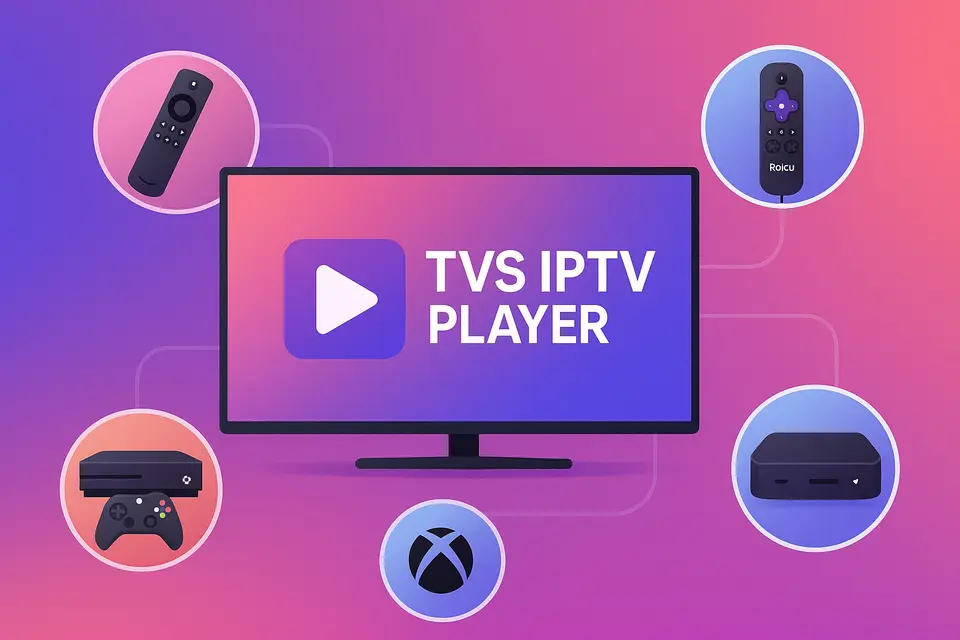
IPTV kurteya Internet Protocol Television e, ku dihêle hûn naveroka televîzyonê bi rêya girêdana xwe ya înternetê bistînin, li şûna kabloya kevneşopî an satelîtê. Lîstikvanê IPTV-yê yê TVS-ê rêyek bêkêmahî peyda dike ji bo gihîştina vê naverokê li ser cîhazên cûrbecûr, di nav de Firestick, Roku, TV-yên jîr, û Xbox.
IPTV Bi Rastî Wateya Çi ye
IPTV rê dide bikarhêneran ku kanalên zindî û naveroka li ser daxwazê rasterast li ser Înternetê weşan bikin. Li vir fonksiyonên sereke hene:
- Kanalên zindî: weşanên TV-yê yên demrast.
- - Catch-up TV: gihîştina bernameyên ku vê dawiyê hatine weşandin.
- Vîdyoya li ser Daxwazê (VOD): Li gorî dilê xwe fîlm û rêzefîlman temaşe bikin.
Ji bo kalîteya çêtirîn, pê ewle bin ku we jêrîn heye:
- Ji bo weşana HD herî kêm 15 Mbps.
- 25+ Mbps ji bo naveroka 4K bêyî tamponkirinê kanî.
- Amûrek hevgirtî ku dikare IPTV-yê bilîze.
- Abonetiyek IPTV-yê ya derbasdar bi URL-yên M3U an Kodên Xtream kanî.
Balkêşî: kanî
Feydeyên Bikaranîna Lîstikvanek IPTV-ya Taybet
Lîstikvanek IPTV-yê ya taybet wekî Lîstikvanê IPTV-yê yê TVS-ê bi pêşkêşkirina van ezmûnan zêde dike:
- Rêxistina kanalê û piştgiriya EPG-ê çêtir e.
- Birêvebirina hêsankirî ya gelek hesabên IPTV-yê.
- Performansa baştirkirî bi buffering û weşana zindî ya çêtirkirî.
Têgihîştina Terminolojiya Serlêdana IPTV-yê
Termînolojî dikare tevlihev be. Li vir çend termên sereke hene:
- Baştirîn IPTV APK: Pakêtên sazkirinê ji bo cîhazên Android.
- Serlêdana IPTV ya Herî Baş: Serlêdanên fermî li firotgehên sepanan hene.
- APK-ya IPTV-yê: Serlêdanên ku di firotgehên fermî de nayên dîtin, pir caran ji hêla alî ve têne barkirin.
Mercên Sereke û Çawa Ew Bi TVS IPTV Player re Têkiliya Wan Bikin
Kengê APK û Sazkirina Serlêdanê Hilbijêrin
Helbijartin APK-ya IPTV-yê sazkirin ji bo cîhazên mîna Firestick dema ku sepan di firotgehê de tune be. Bikar bînin Serlêdana IPTV sazkirin ji bo platformên ku sepanên fermî piştgirî dikin.
Çawa TVS IPTV Player Li Platformên Cûda Digunce
Lîstikvanê IPTV-yê yê TVS-ê li ser platformên cûda dixebite, bi şertê ku hûn celebê abonetiya rast hebe da ku hûn bigihîjin kanalan bi rêya URL-yên M3U an kodên Xtream.
Lihevhatina Amûr-bi-Amûr û Sazkirin
Sazkirina Firestick û Android TV
Ji bo sazkirinê Lîstikvanê IPTV-yê yê TVS-ê li ser Firestick:
- Vebijarkên Pêşdebir çalak bikin.
- Sepana Downloader saz bike.
- URL-ya dakêşanê ji bo TVS IPTV APK-ê binivîse.
- Sazkirinê temam bikin û serîlêdanê bidin destpêkirin.
Ji bo bêtir agahdarî li ser sazkirina Firestick.
Sazkirin û Sînorkirinên Roku IPTV
Roku piştgirîya barkirina APK-an ji aliyê alî ve nake. Ji bo kanalên IPTV-yê yên fermî Roku Channel Store bikar bînin an naveroka ji cîhazek din a ku dixebite veguhezînin. Lîstikvanê IPTV-yê yê TVS-ê.
Ji bo bêtir agahdarî li rêbernameya sazkirina Roku binêre.
Mîhengkirina IPTV ya Smart TV
Televîzyonên Smart bi gelemperî hewce ne:
- Firmware-a nûvekirî.
- Girêdana kabloyî ya stabîl.
- Gihîştina firotgeha sepanan ji bo IPTV.
Ji bo bêtir agahdarî li ser sazkirina Smart TV.
Sazkirin û Çêtirkirina Lîstikvanê TVS IPTV
Feydeyên Sereke û Rêbazên Sazkirinê
Lîstikvanê IPTV-yê yê TVS-ê bi piştgiriya rêbazên têketinê yên cûrbecûr ezmûnek yekgirtî pêşkêş dike, û gihîştina hem navnîşên lîstikê yên M3U û hem jî kodên Xtream hêsan dike.
Mîhengên Optimîzasyona Performansê
Ji bo çêtirkirina performansê:
- Girêdanên bi têl li ser Wi-Fi bikar bînin.
- Ji bo lîstina xweş mezinahiya baferê biguherîne.
- Ger gengaz be, lezandina hardware çalak bike.
Matrîksa Lihevhatinê û Rêbernameya Biryarê
Pêşniyarên Taybetî yên Amûrê
| device | Piştgiriya APK-ê | Nêzîkatiya Pêşniyar kirin |
|---|---|---|
| darikê agir | Erê | barkirina alî Lîstikvanê IPTV-yê yê TVS-ê; kopiyekê lê zêde bike baştirîn sepana IPTV kanî. |
| TV Android | Erê | Sazkirina rasterast a APK; TVS wekî lîstikvanê sereke bikar bînin. |
| sal | Na | Serlêdanên berdest bikar bînin; ji TVS-ê weşan bikin. |
| Samsung TV | Na | Serlêdanên xwemalî bibîne an jî amûrek derveyî bikar bîne. |
| Xbox | Na | Serlêdanên berdest ji Microsoft Store bikar bînin. |
| Mag Box | N / A | Portalê xwemalî û TVS ji hev cuda bikar bînin. |
Lîsteya Kontrolê ya Sazkirinê û Rêbazên Çêtirîn
Mercên Pêşwext û Nirxandinên Ewlehiyê
Berî sazkirinê:
- Piştrast bike ku te abonetiyek IPTV-yê ya derbasdar heye.
- Lihevhatina cîhaza xwe kontrol bike û firmware-ê wekî pêwîst nûve bike.
Serişteyên Optimîzasyona Torê
Ji bo baştirkirina kalîteya weşana zindî:
- Girêdanên bi têl pêşîniyê bidin.
- Ji bo rêveberiya trafîkê ya çêtir, mîhengên QoS li ser routerên bikar bînin.
- Leza û pêbaweriya înternetê ya xwe bi rêkûpêk kontrol bikin.
Çareserkirina Pirsgirêkên IPTV yên hevpar
Pirsgirêkên Lîstin û Girêdanê
Heke hûn bi xeletiyên lîstinê re rû bi rû bimînin:
- Rastkirina URL-ya M3U-ya xwe kontrol bikin.
- Leza pêwendiyê biceribîne û rewşa abonetiyê verast bike.
Destpêkirina Zû
- Amûrê xwe û rêbaza sazkirinê hilbijêrin.
- Lêkirin Lîstikvanê IPTV-yê yê TVS-ê bi belgeyên we re
- Serlêdanê vekin û bi mînakên kanalan biceribînin.
- Mîhengan li gorî tora xwe baştir bikin.
Pirsên Pir tên Pirsîn
IPTV çi ye?
IPTV kurteya Internet Protocol Television e, ku destûrê dide weşana zindî ya TV-yê bi rêya înternetê.
Kîjan cîhaz IPTV-yê piştgirî dikin?
Piraniya TV-yên jîr, cîhazên weşana zindî û cîhazên Android-ê piştgirî didin IPTV-yê.
Ez çawa dikarim pirsgirêkên playbackê çareser bikim?
Girêdana înternetê û URL-ya M3U-ya xwe kontrol bike, û hewl bide ku sepanê ji nû ve dest pê bike.
Ma ez dikarim gelek pêşkêşkerên IPTV bikar bînim?
Belê, bi karanîna aboneyên IPTV-yê yên cûda bi rêya heman lîstikvanê mimkun e.
IPTV qanûnî ye?
Qanûnî li gorî herêman diguhere; her gav lîsansa dabînkerê IPTV-ya xwe kontrol bikin.