
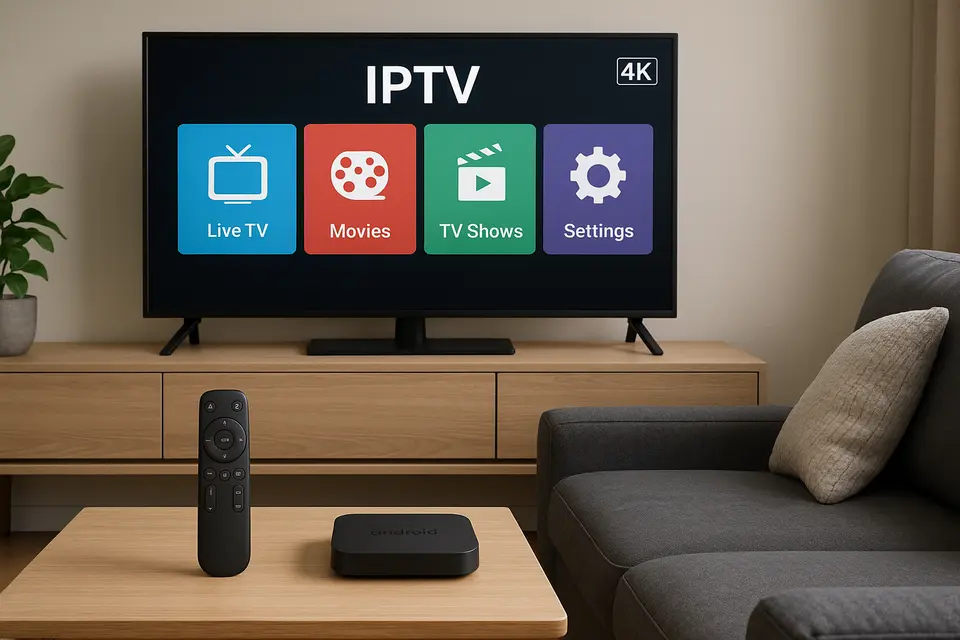
Geriausia „Android“ medijos transliacijos dėžutė: išsamus vadovas, kaip pasirinkti tinkamą IPTV įrenginį, programas ir paslaugas
Numatomas skaitymo laikas: 12 minučių
Pagrindiniai skirtumai
- Įrenginio pasirinkimas: Pasirinkite „Android“ medijos srautinio perdavimo įrenginį pagal suderinamumą su IPTV paslaugomis.
- Paslaugos patikimumas: Patikimos IPTV paslaugos užtikrina ilgą veikimo laiką ir skaidrumą.
- Programėlė ir APK: Atpažinkite skirtumą tarp standartizuotų IPTV programėlių ir pritaikomų APK failų.
- Sąrankos paprastumas: Paprasti diegimo procesai gali pagerinti bendrą patirtį.
- Našumo reikšmės: Didesnės įrenginių specifikacijos užtikrina geresnę transliacijos kokybę.
Turinys
- Rinkos apžvalga ir geriausių IPTV paslaugų paieška
- IPTV programų ir APK skirtumų supratimas
- „Firestick“ IPTV sprendimai
- Išmaniosios televizijos IPTV integracija
- Kodėl geriausia „Android“ medijos srautinio perdavimo dėžutė pirmauja IPTV našume
- IPTV alternatyviose platformose
- „Xtream Player“ integracija ir sąranka
- IPTV paslaugų palyginimo sistema
- Praktiniai IPTV sąrankos vadovai
- Įrenginių rekomendacijos pagal naudojimo atvejį
- Teisiniai ir saugos klausimai
- Dažnai užduodami klausimai
Rinkos apžvalga ir geriausių IPTV paslaugų paieška
Sąvoka "geriausia IPTV„paprastai reiškia srautinio perdavimo paslaugas, o ne aparatinę įrangą, tačiau šis skirtumas yra svarbesnis, nei dauguma pirkėjų supranta.“ IPTV paslaugos teikti turinį per interneto protokolus, o jūsų srautinio perdavimo įrenginys veikia kaip platforma, kurioje veikia IPTV programos.
Legalios IPTV parinktys apima tokias įprastas paslaugas kaip Sling TV, FuboTVir "YouTube" TV, siūlant licencijuotą turinį su tinkamomis transliavimo teisėmis.
Vertinant bet kokį geriausiai įvertinta IPTV paslaugą, patikrinkite, ar jie siūlo bandomuosius laikotarpius arba pinigų grąžinimo garantijas. Teisėti teikėjai supranta, kad našumas priklauso nuo vietos, interneto tiekėjo ir įrenginio konfigūracijos.
IPTV programų ir APK skirtumų supratimas
Skirtumas tarp IPTV programos bei IPTV APK failai nustato, prie kurių srautinio perdavimo klientų galite prisijungti ir kaip juos įdiegsite. IPTV programa reiškia bet kurį IPTV klientą, kurį galima įsigyti oficialiose programėlių parduotuvėse, tokiose kaip „Google Play“, ir kuris užtikrina standartizuotą patirtį.
An IPTV APK reiškia faktinį „Android“ paketo failą, kurį galite įdiegti rankiniu būdu, todėl vartotojams reikia tiesiogiai atsisiųsti ir įkelti failus.
„Firestick“ IPTV sprendimai
„Amazon Fire TV“ įrenginiuose veikia modifikuota „Android“ operacinė sistema, tačiau programinė įranga daugiausia platinama „Amazon Appstore“. Galite įdiegti IPTV „Firestick“ programėlė tiesiai iš „Amazon“ parduotuvės.
Tačiau pajėgiausiems IPTV klientams dažnai reikia įdiegti „Firestick“ IPTV APK per šoninį pakrovimą.
Išmaniosios televizijos IPTV integracija
Naudojant IPTV išmaniajame televizoriuje panaikina papildomos įrangos poreikį. „Samsung“ televizoriai dažnai palaiko specialią IPTV Samsung programėlės kaip išmanioji IPTV.
Pagrindiniai privalumai – supaprastintas valdymo valdymas ir sumažintas laidų raizgalynės kiekis. Tačiau yra ir apribojimų, įskaitant lėtesnius procesorius ir nenuoseklius atnaujinimų tvarkaraščius.
Kodėl geriausia „Android“ medijos srautinio perdavimo dėžutė pirmauja IPTV našume
Atsidavęs geriausia „Android“ medijos srautinio perdavimo dėžutė užtikrina optimalų našumą dėl puikių aparatinės įrangos specifikacijų. Kokybiški „Android“ įrenginiai paprastai turi keturių branduolių procesorius, daugiau nei 4 GB RAM ir daugiau nei 32 GB atminties.
„Android TV“ operacinė sistema suteikia prieigą prie oficialių „Google Play Store“ programėlių ir iš šono atsisiųstų APK failų, suteikdama vartotojams visą ekosistemą IPTV programa variantų.
IPTV alternatyviose platformose
O IPTV Roku susiduria su dideliais apribojimais dėl savo uždaros ekosistemos, IPTV „Xbox“ konsolėje veikia per suderinamas programas. IPTV MAG dėžutė yra specialiai sukurtas IPTV programoms.
„Xtream Player“ integracija ir sąranka
Geriausios Xtream grotuvas prisijungia prie IPTV paslaugų naudodamas „Xtream Codes API“ protokolą, siūlydamas standartizuotus ryšius per vartotojo prisijungimo duomenis.
„Xtream Player“ diegimui reikalinga esminė informacija: serverio URL, vartotojo vardas ir slaptažodis. Tada programa nuskaito galimų kanalų sąrašus ir EPG duomenis.
IPTV paslaugų palyginimo sistema
Veiksmingas IPTV paslaugų palyginimas turėtų apimti veikimo patikimumą, įrenginių suderinamumą ir paslaugų skaidrumą.
Kai jūs IPTV apžvalga paslaugos, pirmenybę teikite naudotojų komentarams, kuriuose nurodoma jų įrenginio sąranka ir geografinė vieta.
Praktiniai IPTV sąrankos vadovai
Diegimas geriausia IPTV programa skiriasi priklausomai nuo įrenginio. Kad patirtis būtų paprastesnė, peržiūrėkite mūsų pagrindinis diegimo vadovas.
Įrenginių rekomendacijos pagal naudojimo atvejį
Biudžeto vartotojai turėtų apsvarstyti „Amazon Fire TV Stick 4K Max“. Vidutinės klasės vartotojams naudingi „Android“ įrenginiai, tokie kaip „Xiaomi Mi Box S 4K“, o aukščiausios klasės vartotojams geriausias našumas – „NVIDIA Shield TV Pro“.
Teisiniai ir saugos klausimai
IPTV teisėtumas visiškai priklauso nuo turinio licencijavimo. Venkite įrenginių, iš anksto sukonfigūruotų IPTV paslaugomis, kuriose yra nelicencijuoto turinio.
Apsaugokite save atsisiųsdami programas iš patikimų šaltinių ir privatumo sumetimais naudodami VPN.
Dažnai užduodami klausimai
Kuo skiriasi IPTV APK ir IPTV programėlė?
An IPTV programa galima įsigyti oficialiose programėlių parduotuvėse, o IPTV APK yra rankiniu būdu įdiegtas failas, kuris dažnai suteikia prieigą prie sudėtingesnių funkcijų.
Kuris įrenginys yra geriausias „Android“ medijos srautinio perdavimo įrenginys IPTV?
„NVIDIA Shield TV Pro“ siūlo geriausią bendrą našumą, o „Formuler Z12 Ultra“ specializuojasi IPTV funkcionalume.
Ar galiu lengvai naudoti IPTV Roku?
IPTV „Roku“ tinkle teikiama tik oficialiomis paslaugomis, tokiomis kaip „Sling TV“; norint įdiegti pagal užsakymą, reikia ieškoti laikinų sprendimų.
Kaip išsirinkti vieną iš skirtingų IPTV paslaugų?
Sutelkite dėmesį į tokius veiksnius kaip patikimumas ir bandomųjų versijų prieinamumas, o ne į reklamuojamą kanalų skaičių.
Ar „Xtream Player“ geresnis nei „M3U“ grojaraščiai?
„Xtream Player“ jungtys teikia automatinius EPG atnaujinimus, o „M3U“ grojaraščius reikia atnaujinti rankiniu būdu, kai pasikeičia sąrašai.