
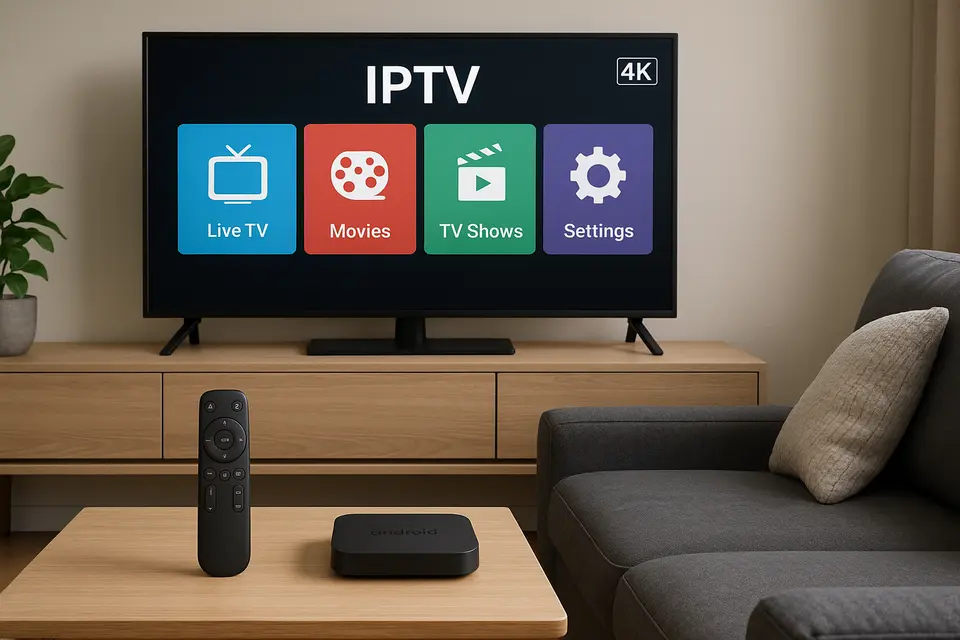
Melhor dispositivo de streaming de mídia Android: um guia completo para escolher o dispositivo, os aplicativos e os serviços de IPTV ideais.
Tempo estimado de leitura: 12 minutos
Principais lições
- Seleção do dispositivo: Escolha um dispositivo de streaming de mídia Android com base na compatibilidade com serviços de IPTV.
- Confiabilidade do serviço: Serviços de IPTV confiáveis mantêm alto tempo de atividade e transparência.
- Aplicativo vs. APK: Saiba diferenciar entre aplicativos IPTV padronizados e APKs personalizáveis.
- Simplicidade de configuração: Processos de instalação simples podem melhorar sua experiência geral.
- O desempenho é importante: Especificações mais elevadas nos dispositivos resultam em melhor qualidade de streaming.
Conteúdo
- Visão geral do mercado e como encontrar os melhores serviços de IPTV
- Entendendo as diferenças entre aplicativos IPTV e APKs
- Soluções IPTV para Firestick
- Integração de IPTV em Smart TV
- Por que o melhor dispositivo de streaming de mídia Android oferece o melhor desempenho em IPTV?
- IPTV em plataformas alternativas
- Integração e configuração do Xtream Player
- Estrutura de comparação de serviços de IPTV
- Guias práticos de configuração de IPTV
- Recomendações de dispositivos por caso de uso
- Considerações Legais e de Segurança
- Perguntas frequentes
Visão geral do mercado e como encontrar os melhores serviços de IPTV
O termo "melhor IPTV"Normalmente" refere-se a serviços de streaming em vez de hardware, mas a distinção é mais importante do que a maioria dos compradores imagina. Serviços de IPTV O conteúdo é transmitido por meio de protocolos de internet, enquanto seu dispositivo de streaming funciona como a plataforma que executa os aplicativos de IPTV.
As opções legais de IPTV incluem serviços já estabelecidos como TV Sling, FuboTV e TV do YouTube, oferecendo conteúdo licenciado com os devidos direitos de transmissão.
Ao avaliar qualquer IPTV de alta qualidade Ao escolher um serviço, verifique se ele oferece períodos de teste ou garantias de reembolso. Provedores legítimos entendem que o desempenho varia de acordo com a localização, o provedor de internet e a configuração do dispositivo.
Entendendo as diferenças entre aplicativos IPTV e APKs
A distinção entre aplicativos IPTV e APKs de IPTV Determina quais clientes de streaming você pode acessar e como instalá-los. App IPTV Refere-se a qualquer cliente IPTV disponível em lojas de aplicativos oficiais como o Google Play, proporcionando uma experiência padronizada.
An APK IPTV Representa o arquivo de pacote Android real que você pode instalar manualmente, exigindo que os usuários baixem e carreguem arquivos diretamente.
Soluções IPTV para Firestick
Os dispositivos Amazon Fire TV executam um sistema operacional Android modificado, mas dependem principalmente da Amazon Appstore para distribuição de software. Você pode instalar um Aplicativo IPTV Firestick diretamente da loja da Amazon.
No entanto, os clientes IPTV mais avançados geralmente exigem a instalação de um APK de IPTV para Firestick por meio de carregamento lateral.
Integração de IPTV em Smart TV
Utilizar painéis de piso ResinDek em sua unidade de self-storage em vez de concreto oferece diversos benefícios: IPTV na Smart TV Elimina a necessidade de hardware adicional. As TVs Samsung geralmente suportam placas dedicadas. Aplicativos IPTV da Samsung como o Smart IPTV.
As principais vantagens incluem gerenciamento de controle simplificado e menor quantidade de cabos. No entanto, as limitações incluem processadores mais lentos e cronogramas de atualização inconsistentes.
Por que o melhor dispositivo de streaming de mídia Android oferece o melhor desempenho em IPTV?
Um dedicado melhor caixa de streaming de mídia para Android Garante desempenho ideal graças às especificações de hardware superiores. Dispositivos Android de qualidade geralmente incluem processadores quad-core, 4 GB ou mais de RAM e 32 GB ou mais de armazenamento.
O sistema operacional Android TV oferece acesso tanto a aplicativos oficiais da Google Play Store quanto a APKs instalados por fora da loja oficial, proporcionando aos usuários um ecossistema completo de aplicativos. App IPTV opções.
IPTV em plataformas alternativas
Embora o IPTV no Roku enfrenta limitações significativas devido ao seu ecossistema fechado, IPTV no Xbox Funciona por meio de aplicativos compatíveis. Caixa IPTV MAG Foi desenvolvido especificamente para aplicações de IPTV.
Integração e configuração do Xtream Player
O Jogador Xtream Conecta-se a serviços de IPTV usando o protocolo Xtream Codes API, oferecendo conexões padronizadas por meio de credenciais de usuário.
A configuração do Xtream Player requer informações essenciais: URL do servidor, nome de usuário e senha. O aplicativo então busca as listas de canais disponíveis e os dados do guia eletrônico de programação (EPG).
Estrutura de comparação de serviços de IPTV
Eficaz Comparação de serviços de IPTV Deve incluir confiabilidade em termos de tempo de atividade, compatibilidade de dispositivos e transparência do serviço.
Quando você Análise de IPTV Os serviços priorizam comentários de usuários que especificam a configuração do dispositivo e a localização geográfica.
Guias práticos de configuração de IPTV
Instalando o melhor aplicativo de IPTV varia de acordo com o dispositivo. Para uma experiência mais simples, confira nosso guia de instalação completo.
Recomendações de dispositivos por caso de uso
Usuários com orçamento limitado devem considerar o Amazon Fire TV Stick 4K Max. Usuários com orçamento intermediário se beneficiam de dispositivos Android como o Xiaomi Mi Box S 4K, enquanto usuários com orçamento mais limitado devem optar pelo NVIDIA Shield TV Pro para obter o melhor desempenho.
Considerações Legais e de Segurança
A legalidade do IPTV depende inteiramente do licenciamento do conteúdo. Evite dispositivos pré-configurados com serviços de IPTV que incluam conteúdo sem licença.
Proteja-se baixando aplicativos de fontes confiáveis e considerando o uso de VPN para sua privacidade.
Perguntas frequentes
Qual a diferença entre um APK de IPTV e um aplicativo de IPTV?
An App IPTV está disponível através das lojas de aplicativos oficiais, enquanto um APK IPTV É um arquivo instalado manualmente que geralmente fornece acesso a recursos mais avançados.
Qual o melhor dispositivo Android para streaming de mídia e IPTV?
O NVIDIA Shield TV Pro oferece o melhor desempenho geral, enquanto o Formuler Z12 Ultra é especializado especificamente em funcionalidades de IPTV.
Posso usar IPTV no Roku facilmente?
O IPTV no Roku é limitado a serviços oficiais como o Sling TV; implementações personalizadas exigem soluções alternativas.
Como escolher entre os diferentes serviços de IPTV?
Dê preferência a fatores como tempo de atividade, confiabilidade e disponibilidade de versões de teste, em vez da quantidade de canais anunciada.
O Xtream Player é melhor que as listas de reprodução M3U?
As conexões do Xtream Player fornecem atualizações automáticas do EPG, enquanto as listas de reprodução M3U exigem atualizações manuais quando a programação muda.