
Player IPTV TVS: Ghidul complet pentru configurarea IPTV și compatibilitatea dispozitivelor
Timp estimat de citire: 12 minute
Intrebari cu cheie
- Înțelegerea IPTV-ului: IPTV transmite conținut de televiziune prin internet, înlocuind metodele tradiționale de cablu.
- Jucători dedicați: Folosind un player IPTV dedicat, cum ar fi player IPTV pentru televizoare îmbunătățește experiența de vizualizare cu o funcționalitate îmbunătățită.
- Compatibilitatea dispozitivului: Asigurați-vă că dispozitivul dvs. acceptă redarea IPTV și alegeți metoda de instalare corectă.
- Sfaturi de performanță: Optimizează-ți configurația cu setări de rețea și ajustări de buffering pentru o redare în flux mai fluidă.
- Depanare: Cunoașteți problemele comune și remediile pentru a vă bucura de servicii IPTV neîntrerupte.
Cuprins
- Noțiuni de bază despre IPTV și de ce să utilizați playerul IPTV TVS
- Termeni cheie și cum se leagă de playerul TVS IPTV
- Compatibilitate și configurare de la dispozitiv la dispozitiv
- Configurarea și optimizarea playerului TVS IPTV
- Matricea de compatibilitate și ghidul decizional
- Listă de verificare pentru configurare și cele mai bune practici
- Depanarea problemelor obișnuite cu IPTV
- Noțiuni de bază rapid
- Întrebări frecvente
Noțiuni de bază despre IPTV și de ce să utilizați playerul IPTV TVS
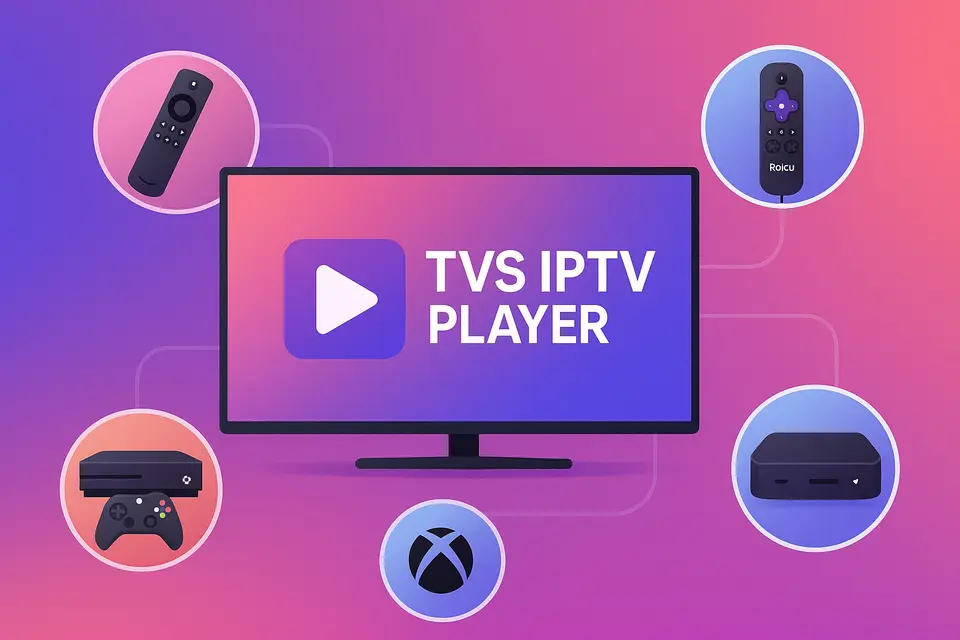
IPTV este prescurtarea de la Internet Protocol Television (Televiziune prin Protocol de Internet), care vă permite să recepționați conținut TV prin conexiunea la internet, în loc de cablul sau satelitul tradițional. Player IPTV TVS oferă o modalitate perfectă de a accesa acest conținut pe diverse dispozitive, inclusiv Firestick, Roku, televizoare inteligente și Xbox.
Ce înseamnă de fapt IPTV
IPTV permite utilizatorilor să transmită în flux continuu canale live și conținut la cerere direct prin internet. Iată principalele funcționalități:
- Canale live: transmisii TV în timp real.
- Catch-up TV: accesați programe difuzate recent.
- Video la cerere (VOD): vizionați filme și seriale oricând doriți.
Pentru o calitate optimă, asigurați-vă că aveți următoarele:
- Cel puțin 15 Mbps pentru streaming HD.
- Peste 25 Mbps pentru conținut 4K fără buffering sursă.
- Un dispozitiv compatibil capabil de redare IPTV.
- Un abonament IPTV valid cu URL-uri M3U sau coduri Xtream sursă.
De referinţă: sursă
Beneficiile utilizării unui player IPTV dedicat
Un player IPTV dedicat, cum ar fi Player IPTV TVS îmbunătățește experiența oferind:
- O mai bună organizare a canalelor și suport EPG.
- Gestionare simplificată a mai multor conturi IPTV.
- Performanță îmbunătățită cu buffering și streaming optimizate.
Înțelegerea terminologiei aplicațiilor IPTV
Terminologia poate fi complexă. Iată câțiva termeni cheie:
- Cel mai bun APK IPTV: Pachete de instalare pentru dispozitive Android.
- Cea mai bună aplicație IPTV: Aplicații oficiale disponibile în magazinele de aplicații.
- APK IPTV: Aplicații care nu se găsesc în magazinele oficiale, adesea încărcate lateral.
Termeni cheie și cum se leagă de playerul TVS IPTV
Când să alegi instalarea APK-ului vs. a aplicației
Alege APK IPTV instalare pentru dispozitive precum Firestick atunci când aplicația nu este disponibilă în magazin. Utilizați Aplicația IPTV instalare pentru platforme care acceptă aplicații oficiale.
Cum se potrivește playerul TVS IPTV pe diferite platforme
Player IPTV TVS funcționează pe diferite platforme, cu condiția să aveți tipul de abonament corect pentru a accesa canalele fie prin URL-uri M3U, fie prin coduri Xtream.
Compatibilitate și configurare de la dispozitiv la dispozitiv
Configurarea Firestick și Android TV
Pentru a instala Player IPTV TVS pe Firestick:
- Activați Opțiunile pentru dezvoltatori.
- Instalați aplicația Downloader.
- Introduceți adresa URL de descărcare pentru APK-ul TVS IPTV.
- Finalizați instalarea și lansați aplicația.
Pentru mai multe informații despre configurarea Firestick-ului.
Configurarea și limitările Roku IPTV
Roku nu acceptă încărcarea laterală a fișierelor APK. Folosește Magazinul de canale Roku pentru canale IPTV oficiale sau difuzează conținut de pe un alt dispozitiv care rulează Player IPTV TVS.
Consultați ghidul de configurare Roku pentru mai multe detalii.
Configurare IPTV Smart TV
Televizoarele inteligente au nevoie de obicei de:
- Firmware actualizat.
- Conexiune stabilă prin cablu.
- Acces la magazinul de aplicații pentru IPTV.
Pentru mai multe detalii despre configurarea televizorului inteligent.
Configurarea și optimizarea playerului TVS IPTV
Beneficii principale și metode de instalare
Player IPTV TVS oferă o experiență unificată prin acceptarea diverselor metode de introducere a datelor, facilitând accesul atât la listele de redare M3U, cât și la codurile Xtream.
Setări de optimizare a performanței
Pentru a optimiza performanța:
- Folosește conexiuni prin cablu prin Wi-Fi.
- Ajustați dimensiunea memoriei tampon pentru o redare fluidă.
- Activați accelerarea hardware acolo unde este posibil.
Matricea de compatibilitate și ghidul decizional
Recomandări specifice dispozitivului
| Dispozitiv | Suport APK | Abordare recomandată |
|---|---|---|
| băț de foc | Da | Sideload Player IPTV TVS; adăugați o copie de rezervă cea mai bună aplicație IPTV sursă. |
| Android TV | Da | Instalare directă a fișierului APK; utilizați TVS ca player principal. |
| Roku | Nu | Folosește aplicațiile disponibile; transmite de pe TVS. |
| Samsung TV | Nu | Găsește aplicații native sau folosește un dispozitiv extern. |
| Xbox | Nu | Folosește aplicațiile disponibile din Microsoft Store. |
| Mag Box | - | Folosește portalul nativ și TVS separat. |
Listă de verificare pentru configurare și cele mai bune practici
Cerințe preliminare și considerații de securitate
Înainte de configurare:
- Asigurați-vă că aveți un abonament IPTV valid.
- Verificați compatibilitatea dispozitivului și actualizați firmware-ul după cum este necesar.
Sfaturi de optimizare a rețelei
Pentru a îmbunătăți calitatea redării în flux:
- Prioritizați conexiunile prin cablu.
- Folosește setările QoS pe routere pentru o mai bună gestionare a traficului.
- Verificați periodic viteza și fiabilitatea internetului.
Depanarea problemelor obișnuite cu IPTV
Probleme de redare și conexiune
Dacă întâmpinați erori de redare:
- Verifică validitatea URL-ului tău M3U.
- Testați viteza conexiunii și verificați starea abonamentului.
Noțiuni de bază rapid
- Selectați dispozitivul și metoda de instalare.
- Instalare Player IPTV TVS cu acreditările dvs.
- Lansați aplicația și testați cu exemple de canale.
- Optimizează setările în funcție de rețeaua ta.
Întrebări frecvente
Ce este IPTV?
IPTV este prescurtarea de la Internet Protocol Television (Televiziune prin Protocol de Internet) și permite transmiterea de programe TV în direct prin internet.
Ce dispozitive acceptă IPTV?
Majoritatea televizoarelor inteligente, a dispozitivelor de streaming și a dispozitivelor bazate pe Android acceptă IPTV.
Cum depanez problemele de redare?
Verifică conexiunea la internet și adresa URL M3U și încearcă să repornești aplicația.
Pot folosi mai mulți furnizori de IPTV?
Da, este posibilă utilizarea diferitelor abonamente IPTV prin intermediul aceluiași player.
IPTV este legal?
Legalitatea variază în funcție de regiune; verificați întotdeauna licențele furnizorului dvs. IPTV.