
TVS IPTV Player: Полное руководство по настройке IPTV и совместимости устройств.
Приблизительное время прочтения: 12 минут
Основные выводы
- Понимание IPTV: IPTV — это потоковая передача телевизионного контента через интернет, заменяющая традиционные методы кабельного телевидения.
- Преданные игроки: Используя специализированный IPTV-плеер, например... плеер IPTV для телевизоров Улучшает качество просмотра благодаря расширенным функциональным возможностям.
- Совместимость устройства: Убедитесь, что ваше устройство поддерживает воспроизведение IPTV, и выберите правильный способ установки.
- Советы по производительности: Оптимизируйте свою систему с помощью сетевых настроек и регулировки буферизации для более плавной потоковой передачи.
- Поиск и устранение неисправностей: Узнайте о распространенных проблемах и способах их решения, чтобы наслаждаться бесперебойным доступом к услугам IPTV.
Содержание
- Основы IPTV и почему стоит использовать IPTV-плеер TVS
- Ключевые термины и их связь с IPTV-плеером TVS
- Совместимость и настройка для каждого устройства в отдельности
- Настройка и оптимизация IPTV-плеера TVS
- Матрица совместимости и руководство по принятию решений
- Контрольный список для настройки и лучшие практики.
- Устранение распространенных проблем IPTV
- Быстрое начало работы
- Часто задаваемые вопросы
Основы IPTV и почему стоит использовать IPTV-плеер TVS
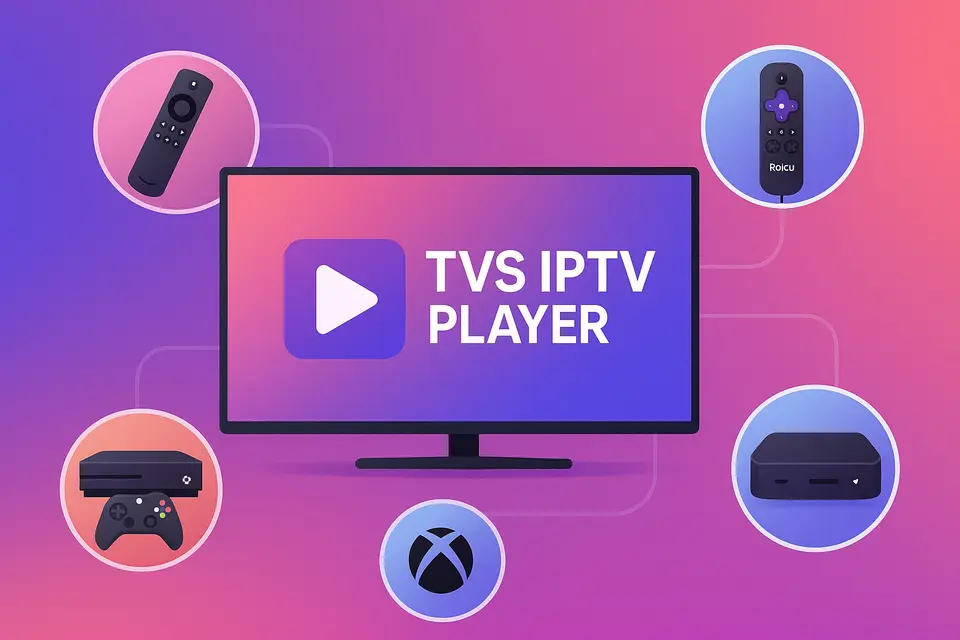
IPTV расшифровывается как Internet Protocol Television (телевидение по интернет-протоколу), что позволяет получать телевизионный контент через интернет-соединение, а не по традиционному кабельному или спутниковому телевидению. ТВ-плеер IPTV Предоставляет удобный способ доступа к этому контенту на различных устройствах, включая Firestick, Roku, смарт-телевизоры и Xbox.
Что на самом деле означает IPTV
IPTV позволяет пользователям транслировать прямые эфиры и контент по запросу непосредственно через Интернет. Вот основные функции:
- Прямые трансляции: телепередачи в режиме реального времени.
- Просмотр телепередач в записи: доступ к недавно вышедшим в эфир программам.
- Видео по запросу (VOD): смотрите фильмы и сериалы в удобное для вас время.
Для достижения оптимального качества убедитесь в наличии следующих компонентов:
- Для потоковой передачи HD-видео требуется не менее 15 Мбит/с.
- Более 25 Мбит/с для контента 4K без буферизации. источник.
- Совместимое устройство, способное воспроизводить IPTV.
- Действующая подписка на IPTV с M3U-ссылками или Xtream-кодами. источник.
Ссылка: источник
Преимущества использования выделенного IPTV-плеера
Специализированный IPTV-плеер, например... ТВ-плеер IPTV улучшает качество обслуживания, предлагая:
- Улучшена организация каналов и поддержка электронного телегида.
- Упрощенное управление несколькими учетными записями IPTV.
- Повышенная производительность благодаря оптимизированной буферизации и потоковой передаче.
Понимание терминологии IPTV-приложений
Терминология может быть сложной. Вот некоторые ключевые термины:
- Лучшее IPTV APK: Установочные пакеты для устройств Android.
- Лучшее приложение для IPTV: Официальные приложения доступны в магазинах приложений.
- IPTV APK: Приложения, отсутствующие в официальных магазинах, часто устанавливаются сторонними способами.
Ключевые термины и их связь с IPTV-плеером TVS
Когда выбирать между APK-файлом и установкой приложения?
Выбирайте АПК IPTV Установка для таких устройств, как Firestick, если приложение недоступно в магазине. Используйте Приложение IPTV установка для платформ, поддерживающих официальные приложения.
Как IPTV-плеер TVS совместим с различными платформами
ТВ-плеер IPTV Работает на разных платформах, при условии наличия соответствующего типа подписки для доступа к каналам либо через M3U-адреса, либо через Xtream-коды.
Совместимость и настройка для каждого устройства в отдельности
Настройка Firestick и Android TV
Для установки ТВ-плеер IPTV на Фаерстике:
- Включите параметры разработчика.
- Установите приложение Downloader.
- Введите URL-адрес для загрузки APK-файла TVS IPTV.
- Завершите установку и запустите приложение.
Для получения дополнительной информации о настройке Firestick.
Настройка и ограничения Roku IPTV
Roku не поддерживает установку APK-файлов из сторонних источников. Используйте магазин каналов Roku для официальных IPTV-каналов или транслируйте контент с другого устройства, на котором установлено приложение. ТВ-плеер IPTV.
Более подробную информацию см. в руководстве по настройке Roku.
Настройка IPTV для Smart TV
Для работы смарт-телевизоров обычно требуется:
- Обновлена прошивка.
- Стабильное проводное соединение.
- Доступ к магазину приложений для IPTV.
Для получения более подробной информации о настройке смарт-ТВ.
Настройка и оптимизация IPTV-плеера TVS
Основные преимущества и методы установки
ТВ-плеер IPTV Предлагает единый пользовательский опыт благодаря поддержке различных методов ввода, что упрощает доступ как к плейлистам M3U, так и к кодам Xtream.
Настройки оптимизации производительности
Чтобы оптимизировать производительность:
- Используйте проводное соединение вместо Wi-Fi.
- Отрегулируйте размер буфера для плавного воспроизведения.
- По возможности включайте аппаратное ускорение.
Матрица совместимости и руководство по принятию решений
Рекомендации, специфичные для конкретного устройства
| Устройство | Поддержка APK | Рекомендуемый подход |
|---|---|---|
| Огненная палка | Да | Sideload ТВ-плеер IPTV; добавить резервную копию лучшее приложение IPTV источник. |
| Android TV | Да | Прямая установка APK-файла; используйте TVS в качестве основного плеера. |
| Року | Нет | Используйте доступные приложения; транслируйте изображение с телевизоров. |
| Samsung TV | Нет | Найдите встроенные приложения или используйте внешнее устройство. |
| Xbox | Нет | Используйте приложения, доступные в магазине Microsoft. |
| Магнитная коробка | ARCXNUMX | Используйте собственный портал и TVS по отдельности. |
Контрольный список для настройки и лучшие практики.
Предварительные условия и соображения безопасности
Перед настройкой:
- Убедитесь, что у вас есть действующая подписка на IPTV.
- Проверьте совместимость вашего устройства и обновите прошивку при необходимости.
Советы по оптимизации сети
Чтобы улучшить качество трансляции:
- Приоритет отдается проводным соединениям.
- Используйте настройки QoS на маршрутизаторах для более эффективного управления трафиком.
- Регулярно проверяйте скорость и надежность своего интернет-соединения.
Устранение распространенных проблем IPTV
Проблемы с воспроизведением и подключением.
Если возникли ошибки воспроизведения:
- Проверьте корректность вашего M3U-адреса.
- Проверьте скорость соединения и статус подписки.
Быстрое начало работы
- Выберите ваше устройство и способ установки.
- Установите ТВ-плеер IPTV с вашими учетными данными.
- Запустите приложение и протестируйте его на примерах каналов.
- Оптимизируйте настройки в соответствии с вашей сетью.
Часто задаваемые вопросы
Что такое IPTV?
IPTV расшифровывается как Internet Protocol Television (телевидение по интернет-протоколу) и позволяет транслировать телепередачи в прямом эфире через интернет.
Какие устройства поддерживают IPTV?
Большинство смарт-телевизоров, потоковых устройств и устройств на базе Android поддерживают IPTV.
Как устранить неполадки с воспроизведением?
Проверьте подключение к интернету и URL-адрес M3U, а также попробуйте перезапустить приложение.
Могу ли я использовать несколько провайдеров IPTV?
Да, использование разных IPTV-подписок через один и тот же плеер возможно.
Законно ли IPTV?
Правовые аспекты различаются в зависимости от региона; всегда проверяйте наличие лицензии у вашего IPTV-провайдера.