
TVS IPTV Player: Udhëzuesi i plotë për konfigurimin e IPTV dhe përputhshmërinë e pajisjeve
Koha e vlerësuar e leximit: 12 minuta
Ndërmarrjet kryesore
- Kuptimi i IPTV-së: IPTV transmeton përmbajtje televizive në internet, duke zëvendësuar metodat tradicionale kabllore.
- Lojtarë të përkushtuar: Duke përdorur një lexues të dedikuar IPTV si p.sh. lexues IPTV i TV-së përmirëson përvojën e shikimit me funksionalitet më të mirë.
- Përputhshmëria e pajisjes: Sigurohuni që pajisja juaj mbështet riprodhimin e IPTV dhe zgjidhni metodën e duhur të instalimit.
- Këshilla për performancën: Optimizoni konfigurimin tuaj me cilësimet e rrjetit dhe rregullimet e memorizimit për transmetim më të qetë.
- Troubleshooting: Njihni problemet dhe zgjidhjet e zakonshme për të shijuar shërbime IPTV pa ndërprerje.
Përmbajtje
- Bazat e IPTV dhe Pse të Përdorni TVS IPTV Player
- Termat kryesore dhe si lidhen ato me TVS IPTV Player
- Përputhshmëria dhe Konfigurimi Pajisje-me-Pajisje
- Konfigurimi dhe Optimizimi i TVS IPTV Player
- Matrica e Përputhshmërisë dhe Udhëzuesi i Vendimeve
- Lista e Kontrollit të Konfigurimit dhe Praktikat më të Mira
- Zgjidhja e problemeve të zakonshme të IPTV
- Fillimi i shpejtë
- Pyetjet e bëra më shpesh
Bazat e IPTV dhe Pse të Përdorni TVS IPTV Player
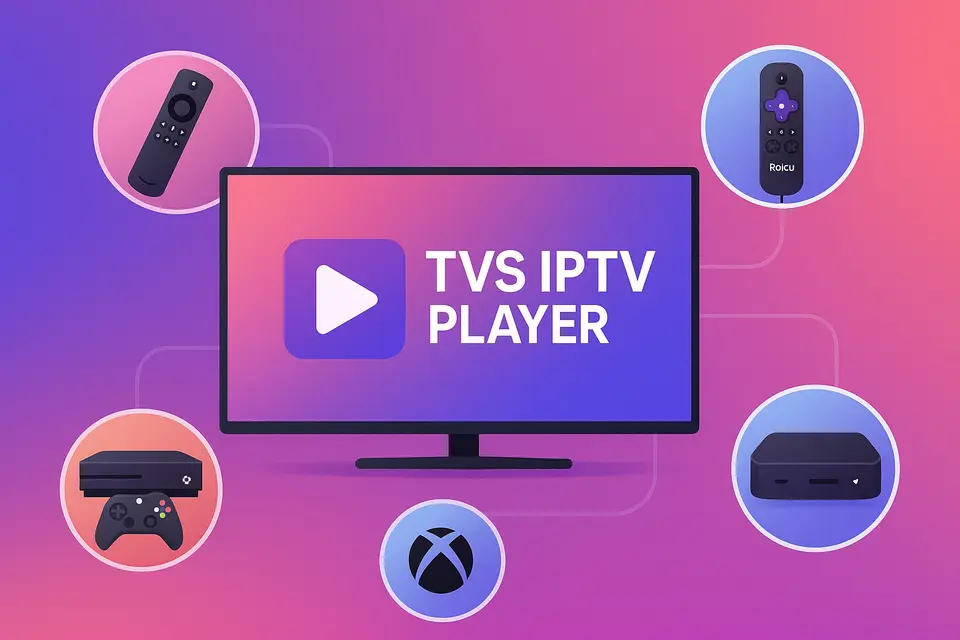
IPTV qëndron për Internet Protocol Television, i cili ju lejon të merrni përmbajtje televizive përmes lidhjes tuaj të internetit në vend të kabllorit ose satelitit tradicional. TVS IPTV Player ofron një mënyrë të përsosur për të aksesuar këtë përmbajtje në pajisje të ndryshme, duke përfshirë Firestick, Roku, TV inteligjentë dhe Xbox.
Çfarë do të thotë në të vërtetë IPTV
IPTV u lejon përdoruesve të transmetojnë kanale të drejtpërdrejta dhe përmbajtje sipas kërkesës direkt në internet. Ja funksionet kryesore:
- Kanale të drejtpërdrejta: transmetime televizive në kohë reale.
- TV për të parë të reja: akses në programet e transmetuara së fundmi.
- Video sipas kërkesës (VOD): shikoni filma dhe seriale sipas dëshirës tuaj.
Për cilësi optimale, sigurohuni që të keni sa vijon:
- Të paktën 15 Mbps për transmetim HD.
- 25+ Mbps për përmbajtje 4K pa ndërrim memorjeje burim.
- Një pajisje e pajtueshme e aftë për të luajtur IPTV.
- Një abonim i vlefshëm IPTV me URL M3U ose Kode Xtream burim.
Referenca: burim
Përfitimet e përdorimit të një IPTV Player të Dedikuar
Një lexues i dedikuar IPTV si p.sh. TVS IPTV Player përmirëson përvojën duke ofruar:
- Organizim më i mirë i kanalit dhe mbështetje EPG.
- Menaxhim i thjeshtuar i llogarive të shumëfishta IPTV.
- Performancë e përmirësuar me buffering dhe transmetim të optimizuar.
Kuptimi i Terminologjisë së Aplikacionit IPTV
Terminologjia mund të jetë komplekse. Ja disa terma kyç:
- APK-ja më e mirë e IPTV-së: Paketa instaluesish për pajisjet Android.
- Aplikacioni më i mirë IPTV: Aplikacionet zyrtare janë të disponueshme në dyqanet e aplikacioneve.
- APK-ja e IPTV-së: Aplikacionet që nuk gjenden në dyqanet zyrtare, shpesh shkarkohen nga jashtë.
Termat kryesore dhe si lidhen ato me TVS IPTV Player
Kur të zgjidhni APK kundrejt instalimit të aplikacionit
Zgjedh IPTV APK instalimi për pajisje si Firestick kur aplikacioni nuk është i disponueshëm në dyqan. Përdoreni Aplikacioni IPTV instalim për platformat që mbështesin aplikacionet zyrtare.
Si i përshtatet TVS IPTV Player platformave të ndryshme
TVS IPTV Player operon në platforma të ndryshme, me kusht që të keni llojin e duhur të abonimit për të hyrë në kanale ose nëpërmjet URL-ve M3U ose kodeve Xtream.
Përputhshmëria dhe Konfigurimi Pajisje-me-Pajisje
Konfigurimi i Firestick dhe Android TV
Për të instaluar TVS IPTV Player në Firestick:
- Aktivizo Opsionet e Zhvilluesit.
- Instaloni aplikacionin Shkarkues.
- Fut URL-në e shkarkimit për TVS IPTV APK.
- Përfundoni instalimin dhe hapni aplikacionin.
Për më shumë informacion mbi konfigurimin e Firestick.
Konfigurimi dhe kufizimet e Roku IPTV
Roku nuk mbështet ngarkimin anësor të APK-ve. Përdorni Dyqanin e Kanaleve Roku për kanale zyrtare IPTV ose transmetoni përmbajtje nga një pajisje tjetër që funksionon TVS IPTV Player.
Shihni udhëzuesin e konfigurimit të Roku për më shumë detaje.
Konfigurimi i IPTV-së së Smart TV
Televizorët inteligjentë zakonisht kanë nevojë për:
- Firmware i përditësuar.
- Lidhje e qëndrueshme me tela.
- Qasje në dyqanin e aplikacioneve për IPTV.
Për më shumë detaje mbi konfigurimin e televizorit inteligjent.
Konfigurimi dhe Optimizimi i TVS IPTV Player
Përfitimet kryesore dhe metodat e instalimit
TVS IPTV Player ofron një përvojë të unifikuar duke mbështetur metoda të ndryshme të hyrjes, duke e bërë të lehtë aksesin si në listat e dëgjimit M3U ashtu edhe në kodet Xtream.
Cilësimet e Optimizimit të Performancës
Për të optimizuar performancën:
- Përdorni lidhje me tela përmes Wi-Fi.
- Rregullo madhësinë e memorjes së përkohshme për riprodhim të qetë.
- Aktivizoni përshpejtimin e harduerit aty ku është e mundur.
Matrica e Përputhshmërisë dhe Udhëzuesi i Vendimeve
Rekomandime specifike për pajisjen
| pajisje | Mbështetje për APK-të | Qasje e rekomanduar |
|---|---|---|
| Llambë zjarri | Po | sideload TVS IPTV Player; shtoni një kopje rezervë aplikacioni më i mirë IPTV burim. |
| Android TV | Po | Instalimi i drejtpërdrejtë i APK-së; përdorni TVS si luajtësin kryesor. |
| vit | jo | Përdorni aplikacionet e disponueshme; transmetojeni nga TVS. |
| Samsung TV | jo | Gjej aplikacione vendase ose përdor një pajisje të jashtme. |
| Xbox | jo | Përdorni aplikacionet e disponueshme nga Microsoft Store. |
| Mag Box | N / A | Përdorni portalin vendas dhe TVS veçmas. |
Lista e Kontrollit të Konfigurimit dhe Praktikat më të Mira
Parakushtet dhe Konsideratat e Sigurisë
Para konfigurimit:
- Sigurohuni që keni një abonim të vlefshëm IPTV.
- Kontrolloni përputhshmërinë e pajisjes suaj dhe përditësoni firmware-in sipas nevojës.
Këshilla për Optimizimin e Rrjetit
Për të përmirësuar cilësinë e transmetimit:
- Jepni përparësi lidhjeve me tela.
- Përdorni cilësimet QoS në routerë për një menaxhim më të mirë të trafikut.
- Kontrolloni rregullisht shpejtësinë dhe besueshmërinë e internetit tuaj.
Zgjidhja e problemeve të zakonshme të IPTV
Probleme me riprodhimin dhe lidhjen
Nëse hasni gabime gjatë riprodhimit:
- Kontrolloni vlefshmërinë e URL-së suaj M3U.
- Testoni shpejtësinë e lidhjes dhe verifikoni statusin e abonimit.
Fillimi i shpejtë
- Zgjidhni pajisjen dhe metodën e instalimit.
- Instaloj TVS IPTV Player me kredencialet tuaja.
- Hap aplikacionin dhe testo me kanale shembull.
- Optimizoni cilësimet bazuar në rrjetin tuaj.
Pyetjet e bëra më shpesh
Farë është IPTV?
IPTV qëndron për Internet Protocol Television, që lejon transmetimin e drejtpërdrejtë të programeve televizive përmes internetit.
Cilat pajisje mbështesin IPTV?
Shumica e televizorëve inteligjentë, pajisjeve të transmetimit dhe pajisjeve me bazë Android mbështesin IPTV.
Si mund t’i zgjidh problemet e riprodhimit?
Kontrolloni lidhjen tuaj të internetit dhe URL-në e M3U dhe provoni ta rinisni aplikacionin.
A mund të përdor ofrues të shumtë IPTV?
Po, përdorimi i abonimeve të ndryshme IPTV përmes të njëjtit lojtar është i mundur.
A është IPTV e ligjshme?
Ligjshmëria ndryshon sipas rajonit; gjithmonë verifikoni licencimin e ofruesit tuaj IPTV.